

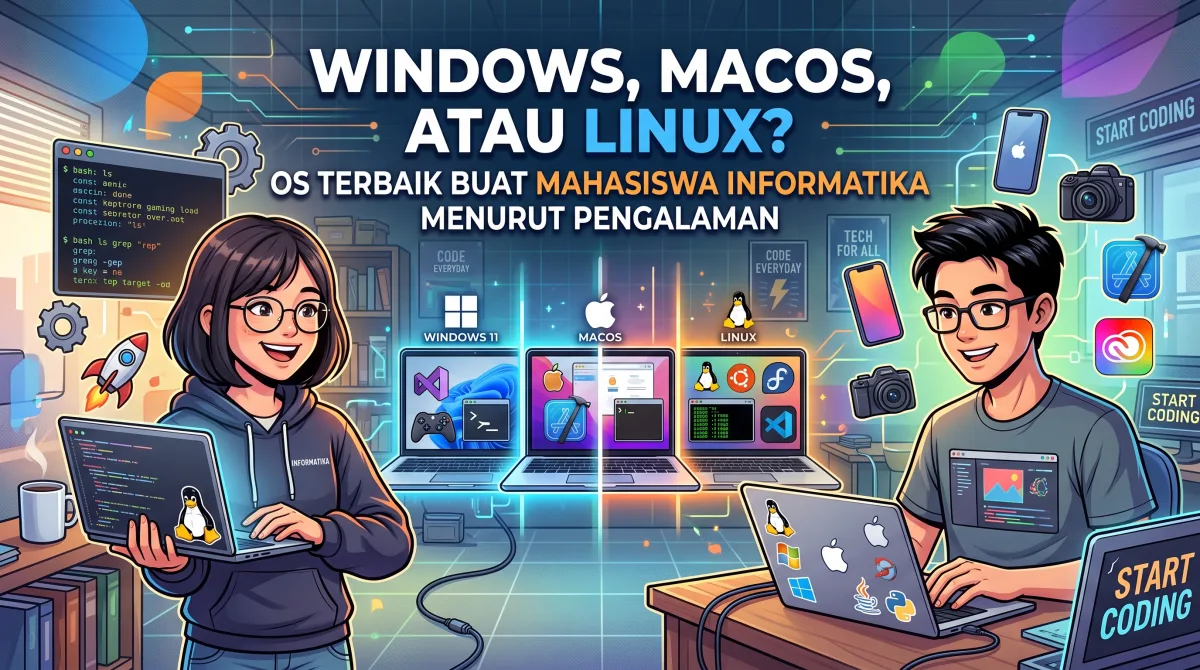
Windows, macOS, or Linux? The Best OS for Computer Science Students According to Experience
Hey, AnakInformatika! Have you ever felt undecided when choosing an operating system (OS) for your college laptop? A classic question that often arises for Computer Science students is: Windows, macOS, or Linux? Which one is actually the best OS based on real experience?
It is completely normal to feel confused. Every OS has its own 'personality' and distinct advantages. Choosing the right one is crucial because the OS you use can significantly impact your productivity, learning comfort, and your overall experience when coding and working on campus projects. In this article, we will thoroughly break down these three OS giants from a Computer Science student's perspective, based on real field experience.
ℹ️ Did You Know? Choosing the right OS can save you a lot of time and effort in the long run, especially when dealing with specific development tools or different working environments. So, don't just pick randomly!
Getting to Know the Big Three: Windows, macOS, and Linux
Before diving deeper, let's get acquainted with each OS. Every system has characteristics that may or may not match your learning style.
1. Windows: The User-Friendly Market Leader
Who doesn't know Windows? This operating system by Microsoft is the most widely used in the world, and you have likely been familiar with it since childhood. Windows is known for its ease of use, abundant software support, and capability to run almost any application.
-
Pros of Windows for CS Students:
-
High Familiarity: Most of us are used to its interface, reducing the learning curve.
-
Broad Software Support: Almost all professional applications—from Office Suites and Adobe Creative Cloud to popular IDEs like Visual Studio—are available on Windows.
-
Gaming: If you enjoy gaming between coding sessions, Windows is the undisputed champion. Most AAA games are designed for Windows.
-
WSL (Windows Subsystem for Linux): A game-changing feature that lets you run a Linux environment natively on Windows. This is immensely helpful for developers who need Linux command-line tools without dual-booting or setting up a VM.
-
Flexible Hardware: A vast selection of laptop and PC brands across various specs and price points.
-
-
Cons of Windows:
-
Resource Intensive: It can feel heavy and consume a lot of RAM, especially with multiple applications running simultaneously.
-
Disruptive Updates: Windows updates can pop up unexpectedly and take time, often at inconvenient moments.
-
Security: As the most widely used OS, Windows is a primary target for malware developers.
-
2. macOS: The Blend of Aesthetics and Unix Power
macOS is the exclusive operating system for Apple computers (Macs). It is renowned for its elegant interface, stable performance, and exceptional ecosystem integration with other Apple devices.
-
Pros of macOS for CS Students:
-
Unix-based: Crucially, because it is based on Unix, macOS features a powerful terminal similar to Linux. This makes life easier for developers accustomed to command line tools common in Unix/Linux environments.
-
Design & User Experience (UX): Its intuitive, polished interface provides a comfortable user experience.
-
Integrated Ecosystem: If you own an iPhone, iPad, or other Apple devices, inter-device integration is seamless.
-
Stability & Performance: Macs are known for optimized hardware and software integration, yielding fast and stable performance.
-
Homebrew: A hugely popular package manager on macOS that simplifies installing development tools.
-
iOS/macOS Development: If you want to build iOS or macOS apps, Xcode (Apple's official IDE) is only available on macOS.
-
-
Cons of macOS:
-
High Price: The primary barrier. Mac devices tend to be significantly more expensive than Windows or Linux laptops with similar specs.
-
Limited Hardware Choices: You are locked into Apple hardware with no flexibility to select individual components.
-
Limited Gaming: Not the primary choice for serious gaming due to narrower game support compared to Windows.
-
3. Linux: The Champion of Customization and Open Source
Linux is not a single OS, but a family of open-source operating systems. There are many "distros" (distributions) such as Ubuntu, Fedora, Debian, Arch Linux, Mint, and more. Linux is extremely popular among developers, server administrators, and anyone who values freedom and complete system control.
-
Pros of Linux for CS Students:
-
Open Source & Free: Most Linux distros are free to download and use, saving you money.
-
Limitless Customization: You can tweak almost every aspect of the OS, from aesthetics to core functionalities.
-
Superior Developer Environment: Linux is the OS of choice for many developers. Countless tools, frameworks, and servers run natively on Linux, and its terminal is exceptionally powerful.
-
Lightweight & Fast: Many distros are lightweight enough to revive older laptops, delivering fast performance on limited specs.
-
Security: Generally considered more secure than Windows due to its structure and an active community that patches vulnerabilities quickly.
-
Strong Community: If you encounter an issue, a vast global community is available to help.
-
-
Cons of Linux:
-
Learning Curve: For beginners transitioning from Windows, Linux can feel challenging. You will need to learn new concepts, especially regarding the command line.
-
Limited Software Support: Some popular proprietary software (like the Adobe Suite, full desktop Microsoft Office, or AAA games) may not run natively on Linux without emulators or open-source alternatives.
-
Hardware Compatibility: Occasionally, proprietary or brand-new hardware drivers can pose issues on Linux.
-
ℹ️ Did You Know? Most servers globally—including those hosting major platforms like Google, Facebook, and Amazon—run on Linux. This demonstrates how powerful and stable Linux is for production environments!
Quick Comparison Table
| Feature / Aspect | Windows | macOS | Linux (General) |
| OS & Hardware Cost | Paid OS, varied hardware (budget to premium) | Free OS (with Mac), expensive hardware | Free OS, varied hardware (budget to premium) |
| Ease of Use | Very easy, familiar for beginners | Easy, intuitive, premium UX | Moderate to Difficult (depends on distro/experience) |
| Development Environment | Good (with WSL), .NET & MS-specific tools | Excellent (Unix-based, Homebrew, Xcode) | Excellent (Native Unix, powerful CLI, vast tools) |
| Software Availability | Extremely broad (Office, Adobe, Games, etc.) | Broad (Office, Adobe, FCP, Logic Pro) | Limited for proprietary software (many open-source alternatives) |
| Gaming | Best | Limited | Decent (via Proton/Wine), constantly improving |
| Customization | Limited | Limited | Extensive (look, feel, functionality) |
| Stability & Security | Decent (vulnerable to malware) | Excellent | Excellent (more secure than Windows) |
| Community & Support | Massive (Microsoft, community forums) | Large (Apple, community forums) | Massive & active (forums, documentation) |
So, Which One Is Best for You? Practical Scenarios
Choose Windows If:
-
You Are a Tech Beginner: If you are starting your degree and lack prior technical exposure, Windows offers a safe, familiar environment.
-
You Need Specific Software: Your courses or projects demand software that only runs natively or optimally on Windows (e.g., specific CAD software or .NET frameworks without WSL).
-
You Enjoy Gaming: You want to play games during breaks.
-
You Have a Limited Budget for a New Laptop: Windows laptops offer many affordable options.
-
You Want a Bridge to Linux: WSL lets you leverage the Linux command line without abandoning Windows.
Choose macOS If:
-
Budget Is Not an Issue: You have the funds to invest in a premium device.
-
You Are Interested in iOS Development: It is a mandatory requirement if you plan to build apps for iPhone or iPad using Xcode.
-
You Value UI/UX and Ecosystem Integration: You prefer polished visuals, stable performance, and seamless connectivity across Apple devices.
-
You Want a User-Friendly Unix Environment: You need Unix capabilities paired with a sleek graphical user interface.
-
You Focus on Design & Creativity: Many design and multimedia tools are highly optimized for Mac hardware.
Choose Linux If:
-
You Love Tweak & Customize: You enjoy exploring configurations, trying new setups, and maintaining complete control over your operating system.
-
You Focus on Backend, DevOps, or Cybersecurity: Tools in these fields are fundamentally designed for Linux, making the terminal your main driver.
-
Your Budget Is Very Restricted: You can run a free distro on an older laptop to gain impressive performance without upgrading hardware.
-
You Want to Learn OS Inner Workings: Linux is the best tool for understanding operating system architecture and mechanics deeply.
-
You Have Low-Spec Hardware: You want maximum performance out of limited system resources.
Pro Tip: Don't be afraid to experiment! Many Computer Science students run dual-boot configurations (installing two OSes on one laptop) or use Virtual Machines (VMs) to run a secondary OS. For example, you can keep Windows as your primary system and run Ubuntu inside VirtualBox to practice Linux skills.
Conclusion: There Is No Universal "Best" OS
Ultimately, there is no single answer to the question "What is the best OS for Computer Science students?" The ideal choice is personal and depends on your goals, chosen specialization, budget, comfort level, and current hardware.
Pick the OS that makes you feel productive, comfortable, and well-equipped for your studies. Experimentation is an essential part of becoming a true computer science student!
Which OS fits your journey best? Or do you have an interesting story using one of these systems? Share your thoughts in the comments below—your perspective might help fellow students decide!