

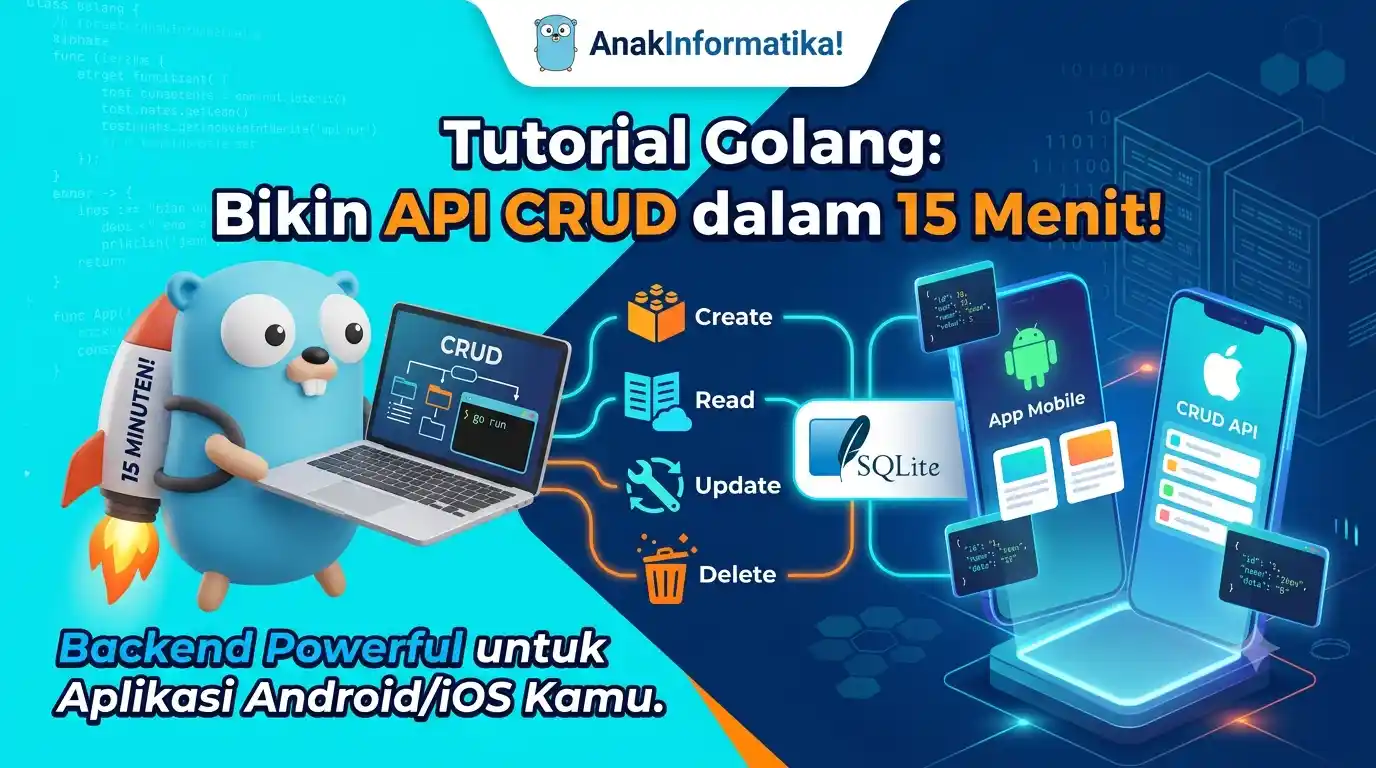
Hello Tech Enthusiasts! Have you ever wondered how the Android or iOS applications you build can store data, retrieve data, or interact with the outside world? The answer lies in APIs (Application Programming Interfaces)! Well, in this tutorial, we're going to learn about Golang Tutorial: Build a CRUD API in 15 Minutes for Android/iOS Applications. That's right, you heard correctly! In just a matter of minutes, we'll set up a powerful backend API using Golang. Let's prove it!
Golang, often referred to as Go, is a programming language that is super efficient, fast, and highly popular for building backend services, microservices, and APIs. With its clean syntax and excellent concurrency features, Golang can be the perfect choice for building high-performance APIs for your mobile applications.
What Exactly is an API? Think of it Like a Restaurant Waiter!
Before we start coding, let's understand what an API is through a simple analogy. Imagine you are dining at a restaurant. You (the mobile app) want to order food (data). But you can't just walk into the kitchen (database) and grab the food yourself, right?
This is where the waiter (API) comes in. You tell the waiter what you want (request to the API), and the waiter carries your order to the kitchen. Once the food is ready, the waiter brings it back to you (response from the API). Simple, right?
In the context of a CRUD API (Create, Read, Update, Delete), it works like this:
-
Create (C): Ordering a new dish (sending new data to the database).
-
Read (R): Looking at the menu or asking about the status of your order (retrieving data from the database).
-
Update (U): Changing your order or adding an item (modifying existing data).
-
Delete (D): Canceling an order (deleting data from the database).
All these interactions are handled by the waiter (API) between you (the mobile app) and the kitchen (database). Makes sense now?
Getting Ready First! (Prerequisites)
To follow this tutorial smoothly, you'll need the following setup:
-
Go Language Installed: Make sure Golang is installed on your computer (v1.20 or higher). If not, download and install it from the official Golang website.
-
Text Editor: Visual Studio Code is recommended due to its rich Go ecosystem.
-
Terminal/Command Prompt: To run Go commands.
-
Basic Understanding of Go: A basic grasp of Go syntax, structs, and functions will be very helpful.
-
Basic Understanding of HTTP & JSON: Since we will interact via HTTP and transmit data in JSON format.
-
Postman/Insomnia/Curl: To test our API later.
💡 Tip: Make sure
GOPATHandGOROOTare configured correctly in your environment variables after installing Go. You can verify this by runninggo env.
Practical Steps: Building a Golang CRUD API
Alright, let's get into the heart of this tutorial. We'll build an API to manage a list of books — simple enough, but covering all CRUD operations.
1. Initialize the Golang Project
First, create a project directory and initialize a Go module:
mkdir golang-crud-api
cd golang-crud-api
go mod init golang-crud-api
The command go mod init golang-crud-api creates a go.mod file to manage our project's dependencies.
2. Install Required Dependencies
For our API, we need two libraries:
-
[github.com/gorilla/mux](https://github.com/gorilla/mux): A powerful and flexible HTTP router (a standard in the Go community). -
[github.com/mattn/go-sqlite3](https://github.com/mattn/go-sqlite3): Driver for the SQLite database. We're using SQLite because setup is fast and easy, making it ideal for small projects or prototypes.
go get github.com/gorilla/mux
go get github.com/mattn/go-sqlite3
3. Data Structure (Model)
Create a file named main.go inside the golang-crud-api folder and define the data structure for books:
// main.go
package main

import (
	"database/sql"  // To interact with the database
	"encoding/json" // For JSON encoding/decoding
	"fmt"          // For string formatting
	"log"          // For logging errors and info
	"net/http"     // To build the HTTP server
	"strconv"      // For converting string to integer

	"github.com/gorilla/mux"         // HTTP router
	_ "github.com/mattn/go-sqlite3" // SQLite driver (_ imports for side effects / driver init)
)

// Book represents the data structure of a book
type Book struct {
	ID     int    `json:"id"`     // Unique book ID, json tag for JSON marshalling/unmarshalling
	Title  string `json:"title"`  // Book title
	Author string `json:"author"` // Book author
	ISBN   string `json:"isbn"`   // Book ISBN (Unique Identifier)
}

var db *sql.DB // Global variable for database connection
4. Initialize Database (SQLite)
We'll write an initDB function to set up the SQLite connection and create the books table if it doesn't already exist.
// initDB initializes the database connection and creates the books table if it doesn't exist
func initDB() {
	var err error
	// Open connection to SQLite database. If books.db doesn't exist, it will be created automatically.
	db, err = sql.Open("sqlite3", "./books.db")
	if err != nil {
		log.Fatalf("Failed to open database connection: %v", err) // Stop execution if connection fails
	}

	// Ping database to verify connection
	err = db.Ping()
	if err != nil {
		log.Fatalf("Failed to connect to database: %v", err)
	}

	// SQL query to create books table if missing
	createTableSQL := `
	CREATE TABLE IF NOT EXISTS books (
		id INTEGER PRIMARY KEY AUTOINCREMENT,
		title TEXT NOT NULL,
		author TEXT NOT NULL,
		isbn TEXT UNIQUE NOT NULL
	);`

	// Execute table creation query
	_, err = db.Exec(createTableSQL)
	if err != nil {
		log.Fatalf("Failed to create books table: %v", err)
	}

	log.Println("Database and 'books' table initialized successfully!")
}
⚠️ Important Note: In production applications, you should avoid using global variables for database connections like this. Use dependency injection or pass the connection context for safer, better software design. For a 15-minute tutorial, however, this is the quickest way.
5. Implement API Handlers (CRUD Operations)
Now we will write handler functions for each CRUD operation.
a. Get All Books (READ)
This handler fetches all books from the database.
// getBooks retrieves all books from the database
func getBooks(w http.ResponseWriter, r *http.Request) {
	w.Header().Set("Content-Type", "application/json") // Set response header to JSON

	rows, err := db.Query("SELECT id, title, author, isbn FROM books") // Query all book records
	if err != nil {
		http.Error(w, err.Error(), http.StatusInternalServerError) // Send error if query fails
		return
	}
	defer rows.Close() // Ensure rows are closed after iteration finishes

	var books []Book // Slice to hold book data
	for rows.Next() { // Iterate over each result row
		var book Book
		err := rows.Scan(&book.ID, &book.Title, &book.Author, &book.ISBN) // Scan data into Book struct
		if err != nil {
			http.Error(w, err.Error(), http.StatusInternalServerError)
			return
		}
		books = append(books, book) // Append book to slice
	}

	json.NewEncoder(w).Encode(books) // Encode books slice to JSON and send as response
}
b. Get Single Book by ID (READ)
This handler fetches a single book based on its ID.
// getBook retrieves a single book by ID
func getBook(w http.ResponseWriter, r *http.Request) {
	w.Header().Set("Content-Type", "application/json")
	params := mux.Vars(r) // Get URL parameters (e.g., /books/{id})

	id, err := strconv.Atoi(params["id"]) // Convert ID from string to integer
	if err != nil {
		http.Error(w, "Invalid book ID", http.StatusBadRequest)
		return
	}

	var book Book
	// Query book by ID
	row := db.QueryRow("SELECT id, title, author, isbn FROM books WHERE id = ?", id)
	err = row.Scan(&book.ID, &book.Title, &book.Author, &book.ISBN) // Scan result
	if err == sql.ErrNoRows { // If book was not found
		http.Error(w, "Book not found", http.StatusNotFound)
		return
	} else if err != nil {
		http.Error(w, err.Error(), http.StatusInternalServerError)
		return
	}

	json.NewEncoder(w).Encode(book) // Encode book to JSON and return
}
c. Create Book (CREATE)
This handler adds a new book to the database.
// createBook adds a new book to the database
func createBook(w http.ResponseWriter, r *http.Request) {
	w.Header().Set("Content-Type", "application/json")
	var book Book
	// Decode request body (JSON) into Book struct
	err := json.NewDecoder(r.Body).Decode(&book)
	if err != nil {
		http.Error(w, err.Error(), http.StatusBadRequest)
		return
	}

	// Insert new book into database
	result, err := db.Exec("INSERT INTO books (title, author, isbn) VALUES (?, ?, ?)", book.Title, book.Author, book.ISBN)
	if err != nil {
		http.Error(w, fmt.Sprintf("Failed to add book: %v", err), http.StatusInternalServerError)
		return
	}

	id, _ := result.LastInsertId() // Get ID of newly inserted book
	book.ID = int(id)             // Update book struct ID

	w.WriteHeader(http.StatusCreated) // Set status code to 201 Created
	json.NewEncoder(w).Encode(book)    // Encode newly created book and return
}
d. Update Book (UPDATE)
This handler updates an existing book's record.
// updateBook updates an existing book record
func updateBook(w http.ResponseWriter, r *http.Request) {
	w.Header().Set("Content-Type", "application/json")
	params := mux.Vars(r)

	id, err := strconv.Atoi(params["id"]) // Extract book ID from URL
	if err != nil {
		http.Error(w, "Invalid book ID", http.StatusBadRequest)
		return
	}

	var book Book
	// Decode request body into Book struct
	err = json.NewDecoder(r.Body).Decode(&book)
	if err != nil {
		http.Error(w, err.Error(), http.StatusBadRequest)
		return
	}
	book.ID = id // Ensure book ID matches URL parameter

	// Update record in database
	result, err := db.Exec("UPDATE books SET title = ?, author = ?, isbn = ? WHERE id = ?", book.Title, book.Author, book.ISBN, book.ID)
	if err != nil {
		http.Error(w, fmt.Sprintf("Failed to update book: %v", err), http.StatusInternalServerError)
		return
	}

	rowsAffected, _ := result.RowsAffected() // Check how many rows were modified
	if rowsAffected == 0 {                  // If zero, the book was not found
		http.Error(w, "Book not found", http.StatusNotFound)
		return
	}

	json.NewEncoder(w).Encode(book) // Encode updated book and return
}
e. Delete Book (DELETE)
This handler removes a book from the database.
// deleteBook removes a book from the database
func deleteBook(w http.ResponseWriter, r *http.Request) {
	w.Header().Set("Content-Type", "application/json")
	params := mux.Vars(r)

	id, err := strconv.Atoi(params["id"]) // Extract book ID from URL
	if err != nil {
		http.Error(w, "Invalid book ID", http.StatusBadRequest)
		return
	}

	// Delete book from database by ID
	result, err := db.Exec("DELETE FROM books WHERE id = ?", id)
	if err != nil {
		http.Error(w, err.Error(), http.StatusInternalServerError)
		return
	}

	rowsAffected, _ := result.RowsAffected()
	if rowsAffected == 0 { // If zero, the book was not found
		http.Error(w, "Book not found", http.StatusNotFound)
		return
	}

	w.WriteHeader(http.StatusNoContent) // Set status code to 204 No Content (successfully deleted, no body)
}
6. Setup Router and Run Server
Finally, inside the main function, we call initDB, set up routing with Gorilla Mux, and spin up the HTTP server.
// main is the entry point of our application
func main() {
	initDB()         // Initialize database when app starts
	defer db.Close() // Ensure database connection closes when app exits

	router := mux.NewRouter() // Create new Gorilla Mux router

	// Define API routes and associate them with their handlers
	router.HandleFunc("/books", getBooks).Methods("GET")
	router.HandleFunc("/books/{id}", getBook).Methods("GET")
	router.HandleFunc("/books", createBook).Methods("POST")
	router.HandleFunc("/books/{id}", updateBook).Methods("PUT")
	router.HandleFunc("/books/{id}", deleteBook).Methods("DELETE")

	// Log information that server is starting
	log.Println("Server starting on port :8080")
	// Start HTTP server on port 8080 with configured router
	log.Fatal(http.ListenAndServe(":8080", router)) // Blocking call, keeps running until interrupted or error occurs
}
7. Run and Test the Application!
Time to test our work! Open your terminal in the project directory and run:
go run main.go
You should see output similar to:
2023/10/27 10:00:00 Database and 'books' table initialized successfully!
2023/10/27 10:00:00 Server starting on port :8080
The server is up and running! Now you can test it with curl, Postman, or Insomnia.
💡 Tip: If using Postman or Insomnia, create a new request targeted at
http://localhost:8080, setting the method and body (for POST/PUT) as shown below.
a. CREATE Book (POST)
Send a POST request to http://localhost:8080/books with JSON body:
curl -X POST -H "Content-Type: application/json" -d '{
    "title": "Belajar Go Lang",
    "author": "Anak Informatika",
    "isbn": "978-602-000-123-1"
}' http://localhost:8080/books
Expected output:
{"id":1,"title":"Belajar Go Lang","author":"Anak Informatika","isbn":"978-602-000-123-1"}
b. GET All Books (GET)
Send a GET request to http://localhost:8080/books:
curl http://localhost:8080/books
Expected output:
[{"id":1,"title":"Belajar Go Lang","author":"Anak Informatika","isbn":"978-602-000-123-1"},{"id":2,"title":"Mastering API Golang","author":"Dev Pro","isbn":"978-602-000-456-7"}]
c. GET Single Book (GET)
Send a GET request to http://localhost:8080/books/1:
curl http://localhost:8080/books/1
Expected output:
{"id":1,"title":"Belajar Go Lang","author":"Anak Informatika","isbn":"978-602-000-123-1"}
d. UPDATE Book (PUT)
Send a PUT request to http://localhost:8080/books/1 with updated JSON:
curl -X PUT -H "Content-Type: application/json" -d '{
    "title": "Belajar Go Lang Edisi Revisi",
    "author": "Anak Informatika Tim",
    "isbn": "978-602-000-123-1"
}' http://localhost:8080/books/1
Expected output:
{"id":1,"title":"Belajar Go Lang Edisi Revisi","author":"Anak Informatika Tim","isbn":"978-602-000-123-1"}
e. DELETE Book (DELETE)
Send a DELETE request to http://localhost:8080/books/1:
curl -X DELETE http://localhost:8080/books/1
Expected output: (empty, due to HTTP 204 No Content status)
Congrats! You've successfully built a complete CRUD API using Golang in record time. You can plug this straight into your Android or iOS app as a lightweight backend!
Best Practices & Tips for Future Expansion
While this is great for a rapid setup, here are key improvements to keep in mind for production apps:
-
💡 Tip: Better Error Handling: Right now we return raw error strings. For production, format errors into standardized JSON structures so your mobile client can handle them gracefully.
// Example error struct
type APIError struct {
    Code    int    `json:"code"`
    Message string `json:"message"`
}

func sendError(w http.ResponseWriter, code int, message string) {
    w.Header().Set("Content-Type", "application/json")
    w.WriteHeader(code)
    json.NewEncoder(w).Encode(APIError{Code: code, Message: message})
}
// Usage: sendError(w, http.StatusNotFound, "Book not found")
-
⚠️ Important Note: Input Validation: We didn't validate fields in this quick tutorial. Real-world apps must sanitize and validate input to protect against bad data or security flaws.
// Simple validation in createBook
if book.Title == "" || book.Author == "" || book.ISBN == "" {
    http.Error(w, "All fields (title, author, isbn) are required", http.StatusBadRequest)
    return
}
// For advanced validation, consider packages like 'go-playground/validator'
-
Production Databases: Upgrade to robust engines like PostgreSQL or MySQL using proper connection pooling.
-
Authentication & Authorization: Secure endpoints using JWTs or OAuth so only authorized clients can access or modify resources.
-
Structured Logging: Use logging libraries like Zap or Logrus instead of standard
logfor clean, parseable logs. -
Environment Variables: Keep database credentials and secrets out of the codebase using
.envor config files. -
Database Migrations: Manage schema changes using migration tools like Goose or Migrate rather than inline SQL strings.
-
Code Organization: Structure larger projects into dedicated modules (
models,handlers,database,routes). -
Testing: Write unit and integration tests using Go's built-in
testingpackage.
Wrap-Up & See You in the Next Tutorial!
Awesome job finishing Golang Tutorial: Build a CRUD API in 15 Minutes for Android/iOS Apps! You now have a solid foundation for backend development with Go.
Remember, this is just the beginning. Backend engineering is a fascinating journey—keep exploring!